Key takeaways
- Start with viewing distance, then choose pixel pitch, and only then decide the screen size.
- Rule of thumb: the closest comfortable viewing distance in metres is about the pixel pitch in millimetres (P2.5 ≈ 2.5 m).
- For most rooms, the screen should take up roughly 30–50% of the wall width, in a 16:9 shape to match your content.
- Check ceiling height, wall strength, power and ventilation before you finalise the size.
In this guide
Many buyers assume a bigger screen is always better. In reality, an indoor SMD screen that is too big for the room overwhelms the audience and looks pixelated up close, while one that is too small fails to make an impact. The right size depends on your space, your content and where people will stand.
This guide gives you simple rules, tables and a checklist to choose the right indoor SMD screen size for a lobby, store, restaurant, boardroom, hall or showroom.
1. Why Screen Size Matters
Indoor LED screens are now common in corporate lobbies in Lahore, retail stores in Karachi, hotels in Islamabad and event halls across Pakistan. The size you choose affects:
- Readability: whether text and details are clear from where people stand.
- Image quality: the wrong size and pitch combination makes pixels visible.
- Cost: SMD screens are priced by area, so every extra square metre adds cost.
- Impact: a well-proportioned screen looks like part of the interior, not an afterthought.
2. What Is an Indoor SMD Screen?
An SMD (surface-mounted device) screen places red, green and blue LED chips together in one tiny package directly on the circuit board. This allows a finer pixel pitch, better colour accuracy and a more uniform image than older DIP LED screens.
Indoor SMD screens typically run at around 800 to 1,500 nits, compared with 5,000 nits or more for outdoor screens. Because they are built from modules, they can be made in almost any size or shape, including curved, corner (L-shaped) and custom designs.
3. Factors That Decide the Right Size
Room dimensions and wall space
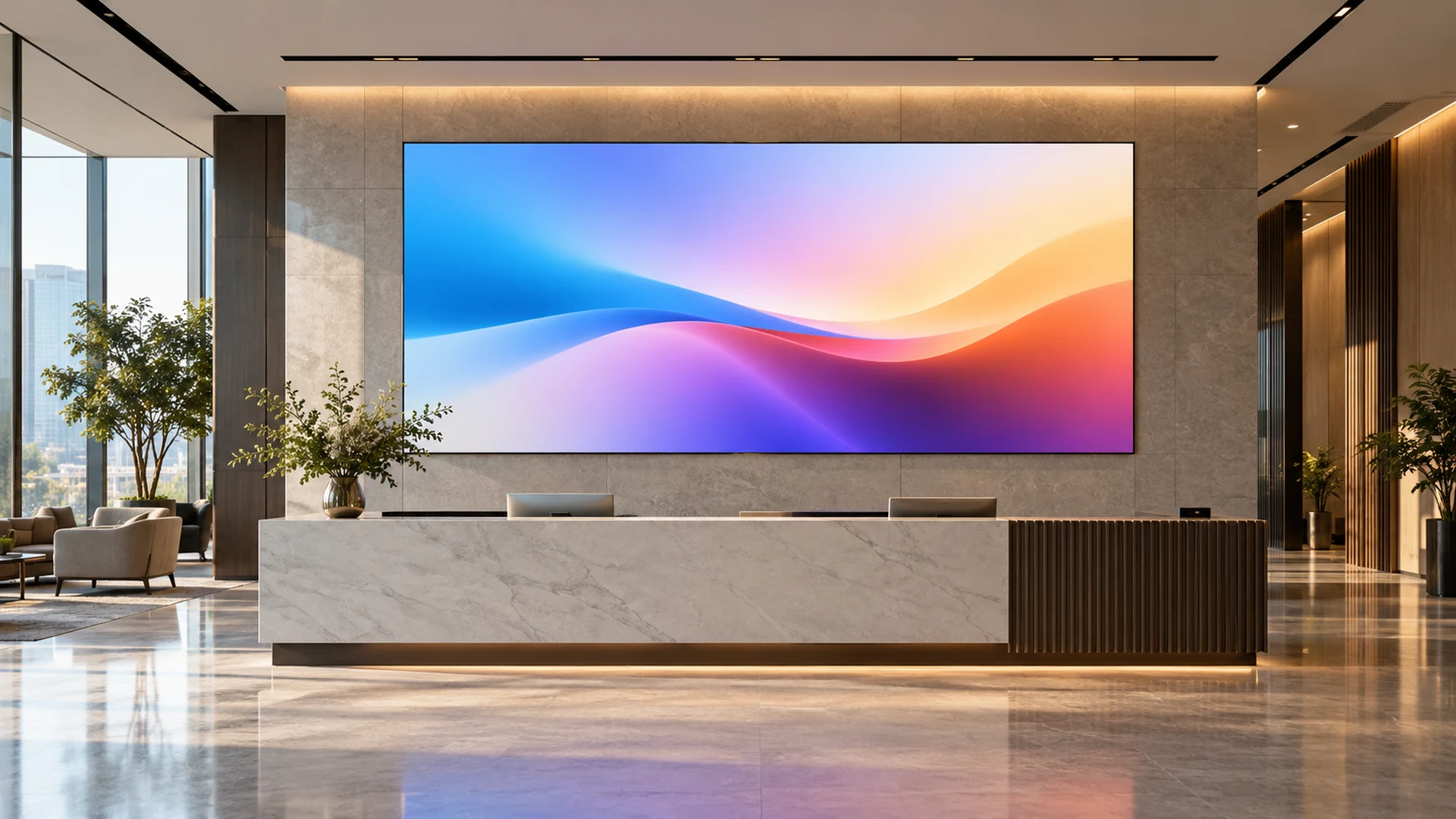
As a starting point, the screen should cover about 30–50% of the wall width. Feature walls in premium lobbies or control rooms can go to 60–70%, usually with a finer pixel pitch.
Purpose and content
Data dashboards, small text, tickers and maps need a finer pitch and often a larger screen. Brand videos and animations are more forgiving. Ask: what is the smallest text or detail that will appear on screen?
Audience and traffic flow
Where will people stand or sit? How many will watch at once? Are they seated (a conference audience) or walking past (mall shoppers)? Moving audiences need bigger, bolder content; seated audiences need sharper detail.
4. Pixel Pitch and Viewing Distance
Pixel pitch is the distance in millimetres between the centres of two neighbouring pixels. A lower number means pixels are closer together, so the screen looks sharp from closer. Indoor screens usually range from P1.2 to P4, with P1.5 to P3 the most popular.
Simple rule: the closest comfortable viewing distance in metres ≈ the pixel pitch in millimetres. So a P2.5 screen looks good from about 2.5 metres and further; a P4 screen from about 4 metres.
| Pixel pitch | Closest comfortable viewing | Typical indoor use |
|---|---|---|
| P1.2 – P1.5 | 1.2 – 1.5 m | Control rooms, TV studios, luxury retail, boardrooms |
| P1.8 – P2.0 | 1.8 – 2 m | Meeting rooms, reception desks, close-range displays |
| P2.5 | 2.5 m | Corporate lobbies, bank branches, retail stores, showrooms |
| P3 – P4 | 3 – 4 m | Restaurants, hotel lobbies, conference halls, gyms |
| P4 – P5 | 4 – 5 m and more | Auditoriums, large halls, exhibition stages |
If you are between two pitches, choose the finer one where people will stand close, such as at a reception desk or in a boardroom.
5. How to Calculate Screen Size
- Measure the typical viewing distance from where most people will watch.
- Find the screen height: a comfortable height is about one quarter of the typical viewing distance. At 4 m, that is about 1 m high.
- Find the width: multiply the height by 1.78 for a 16:9 shape. 1 m high gives about 1.78 m wide.
- Check the wall: make sure the result fits within 30–50% of the wall width and below the ceiling with room for the frame.
- Choose the pitch from the closest point where people will stand, using the table above.
- Round to module sizes: SMD screens are built from modules, so the final size is adjusted to the nearest module-perfect dimension.
You can try sizes, shapes and pitches yourself and see the screen at true scale in the DIGIX 3D Configurator.
6. Size Guide by Venue
| Venue | Typical size (W × H) | Pixel pitch | Viewing distance |
|---|---|---|---|
| Boardroom / meeting room | 1.5 × 0.85 m to 3 × 1.7 m | P1.5 – P2.0 | 2 – 5 m |
| Corporate reception / lobby | 2 × 1.1 m to 4 × 2.25 m | P2.0 – P2.5 | 3 – 6 m |
| Bank branch | 2 × 1.1 m to 3.5 × 2 m | P2.0 – P2.5 | 3 – 7 m |
| Retail store / fashion outlet | 2 × 1.1 m to 5 × 2.8 m | P2.5 – P3 | 3 – 8 m |
| Restaurant / café / food court | 1.5 × 0.85 m to 3 × 1.7 m | P2.0 – P3 | 2 – 6 m |
| Showroom / car dealership | 3 × 1.7 m to 6 × 3.4 m | P2.5 – P3 | 4 – 10 m |
| Gym / fitness centre | 2.5 × 1.4 m to 5 × 2.8 m | P3 – P4 | 4 – 12 m |
| Hotel lobby / ballroom | 4 × 2.25 m to 8 × 4.5 m | P2.5 – P4 | 5 – 15 m |
| Auditorium / conference hall | 6 × 3.4 m to 12 × 6.75 m | P3 – P5 | 8 – 30 m |
| TV studio / control room | 3 × 1.7 m to 8 × 4.5 m | P1.2 – P1.5 | 1.5 – 5 m |
These are starting points. A site survey confirms the final size for your space.
7. Resolution vs Screen Size
An SMD screen does not come in fixed resolutions like 1080p or 4K. Its resolution is the physical size divided by the pixel pitch. For example, a screen 4 metres wide has:
- 1,600 pixels across at P2.5 (4,000 mm ÷ 2.5)
- 2,000 pixels across at P2.0
- about 2,667 pixels across at P1.5
What matters is whether the pixel density suits the viewing distance, not the resolution label. Always design content at the screen’s actual pixel size, which your supplier should give you.
8. Common Sizing Mistakes
- Choosing size before pitch: start with viewing distance, then pitch, then size.
- Ignoring ceiling height: a 4 m ceiling can take a 3 m-wide 16:9 screen comfortably; a 2.8 m ceiling may not.
- Forgetting the aspect ratio: most content is 16:9. Odd shapes need custom content or show black bars.
- Going too big “to be safe”: cost rises with every square metre, and an oversized screen can overpower a room.
- Overlooking structure and power: large screens are heavy and draw significant current. Check wall load, electrical supply and ventilation.
9. Budget Considerations
- Pixel pitch: the finer the pitch, the higher the price per square metre. A P1.5 screen can cost several times more per square metre than a P3 screen.
- Area: cost rises roughly in line with screen area.
- Panel quality: better panels give more consistent colour and brightness and a longer life, which matters most for client-facing screens.
- Extras: frame, controller, CMS, content and installation.
For a detailed quotation, see our SMD screen buying guide and installation guide.
10. Pre-Purchase Checklist
- What are the exact wall or space measurements?
- What are the closest and typical viewing distances?
- What content will play: video, data, text or live feeds?
- How bright is the room, and is there sunlight from windows?
- Is your content 16:9?
- Can the wall or floor carry the weight?
- Is the electrical supply sufficient and protected?
- Who will manage content, and do you need a cloud CMS?
- How many hours a day will the screen run?
- What warranty and after-sales support does the supplier offer?
Why DIGIX for Indoor SMD Screens
DIGIX has worked in digital signage since 2015 and is part of the Adsells group, established in 1952. We design, supply and install indoor SMD screens and video walls in standard and custom shapes, with site surveys, CMS and support teams in Lahore, Karachi, Islamabad, Gujranwala, Faisalabad, Multan and Rahim Yar Khan.
Brands DIGIX has worked with include Shell, Nestlé, HBL, Standard Chartered, Toyota, Samsung, Unilever, Jazz, Telenor, KIA and Pizza Hut.
Frequently Asked Questions
What size SMD screen do I need for my shop?
Most retail stores use screens from about 2 × 1.1 m to 5 × 2.8 m at P2.5 to P3. The right size depends on your wall width and where customers stand.
Which pixel pitch is best for indoor use?
P2.5 suits most lobbies, stores and bank branches. Choose P1.5 to P2.0 for boardrooms and reception desks where people stand close, and P3 to P4 for larger halls.
How close can people stand to an SMD screen?
As a rough rule, the closest comfortable distance in metres is about the pixel pitch in millimetres. A P2.5 screen looks good from about 2.5 m.
What resolution will my SMD screen have?
Width in millimetres divided by pixel pitch. A 4 m wide P2.5 screen is 1,600 pixels wide.
Can an indoor SMD screen be curved or a custom shape?
Yes. Because it is built from modules, it can be flat, curved, cornered or custom-shaped.
How long does an indoor SMD screen last?
With good ventilation, stable power and maintenance, a quality indoor SMD screen can run for many years.