Key takeaways
- DIGIX 3D Studio is a free online configurator for SMD screens, LED video walls, standees, kiosks and menu boards.
- See your logo and content on the screen, in a realistic setting, at true scale, by day and by night.
- Send your design to your team or straight to DIGIX for a quotation that matches what you approved.
Buying an SMD screen or LED screen used to mean guessing. You saw a few photos, read a spec sheet, and hoped the screen would fit the wall, suit the brand and stay readable in the sun.
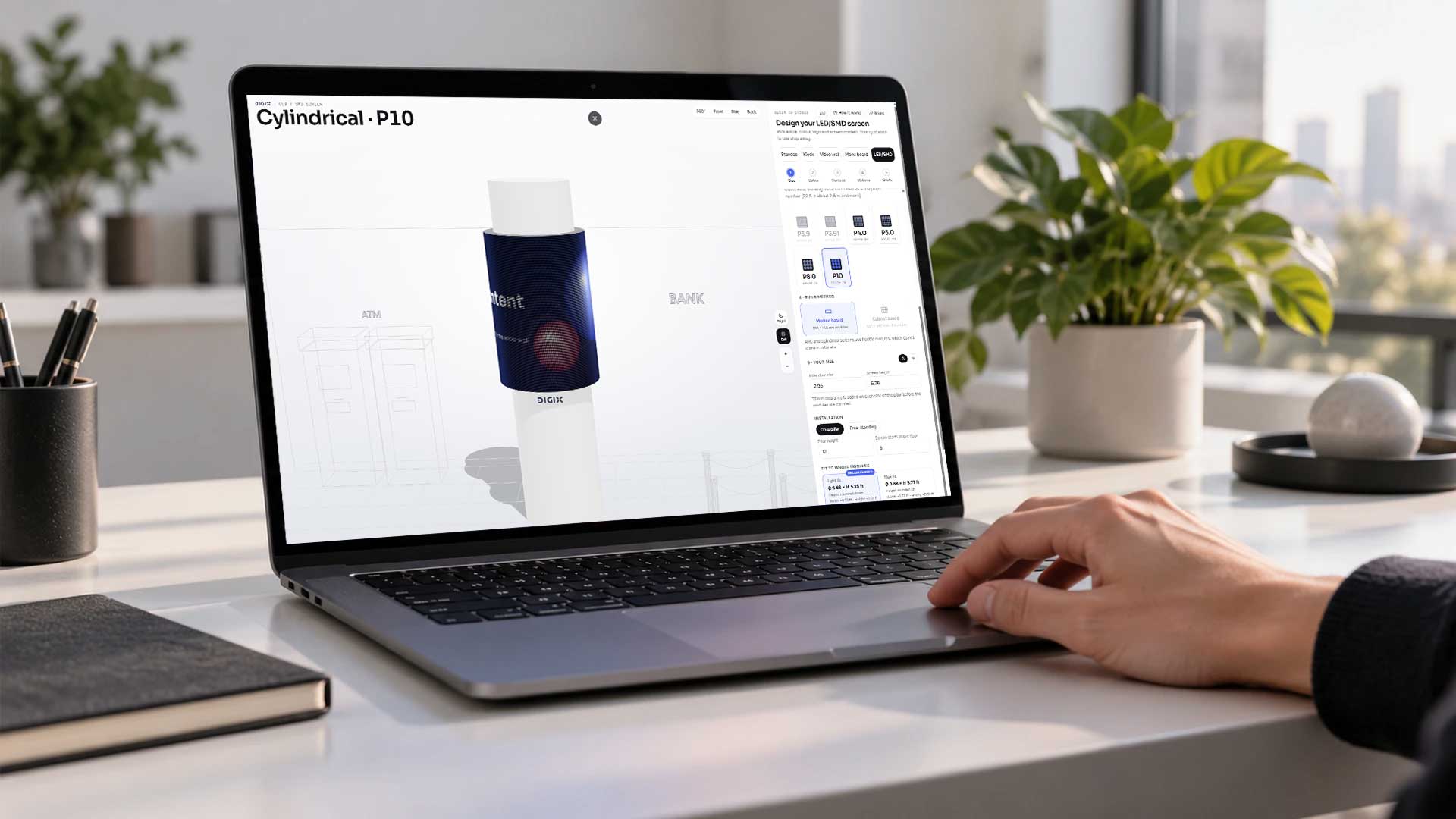
DIGIX 3D Studio changes that. It is a free online 3D configurator for digital signage: one studio where you design a standee, kiosk, video wall, menu board or SMD screen, see it in your kind of space, and send a quote request in a few clicks.
Try it now — it’s free
No sign-up. Works on mobile and desktop.
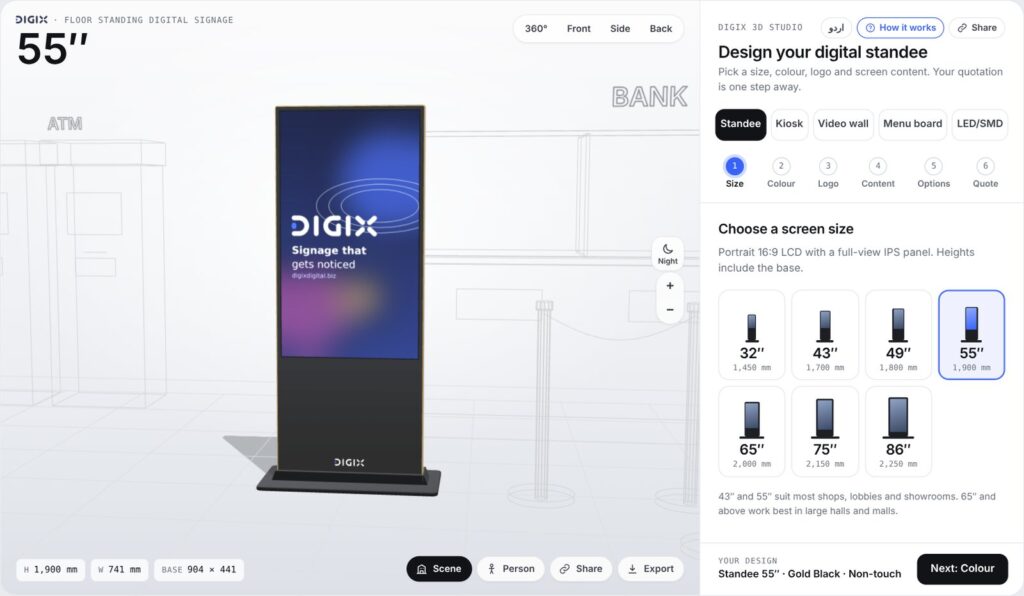
What you can design in DIGIX 3D Studio
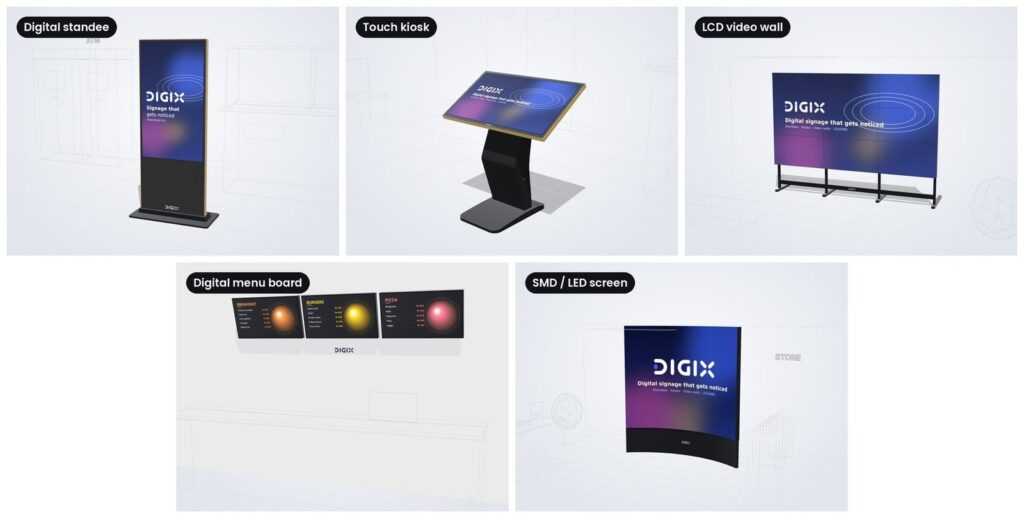
Five kinds of digital screens, all in one place:
| Product | What you choose |
|---|---|
| SMD screen / LED screen | Flat, corner, arc, U-shape, box or cylinder; pixel pitch P1.5 to P10; indoor or outdoor |
| LCD video wall | Any layout of panels, wall mount or floor stand |
| Digital menu board | Screens in a row or grid, straight or tilted |
| Digital standee | Floor-standing screen from 32″ to 86″, colour and base |
| Touch kiosk | Angled interactive touchscreen |
Every product shows its real size in millimetres, so you know exactly what will arrive.
See your project before execution
The biggest risk in any digital signage project is a surprise on installation day. DIGIX 3D Studio lets you and your client see the result first:
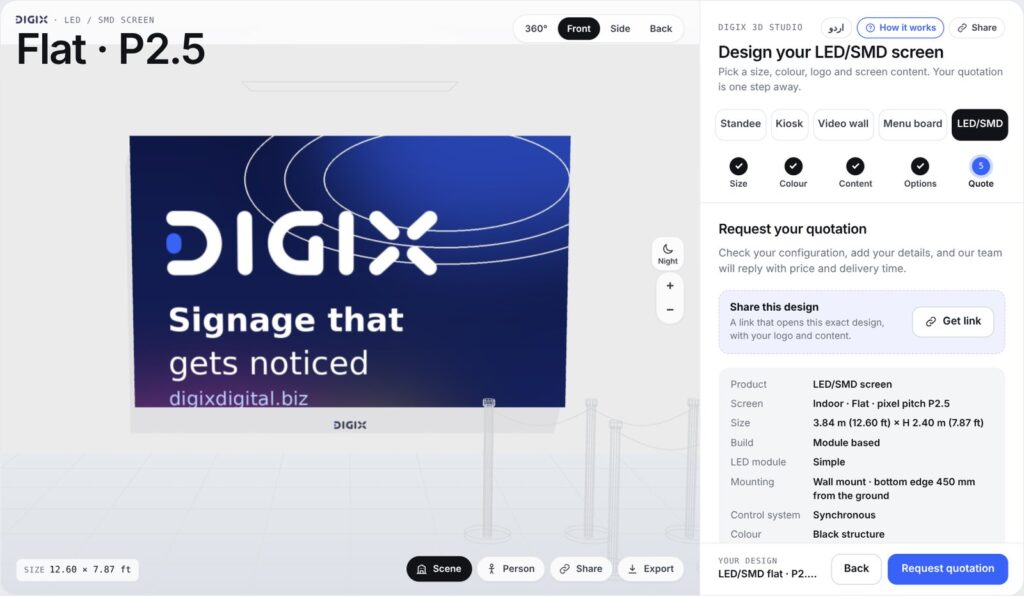
- Your own logo and content: upload your logo, images or videos and see them playing on the screen.
- A real setting: place the screen in a bank, retail store, hospital, restaurant or office lobby.
- True scale: add a person beside the screen to see how big it really is.
- Turn it around: view front, side, back or a full 360° turn.
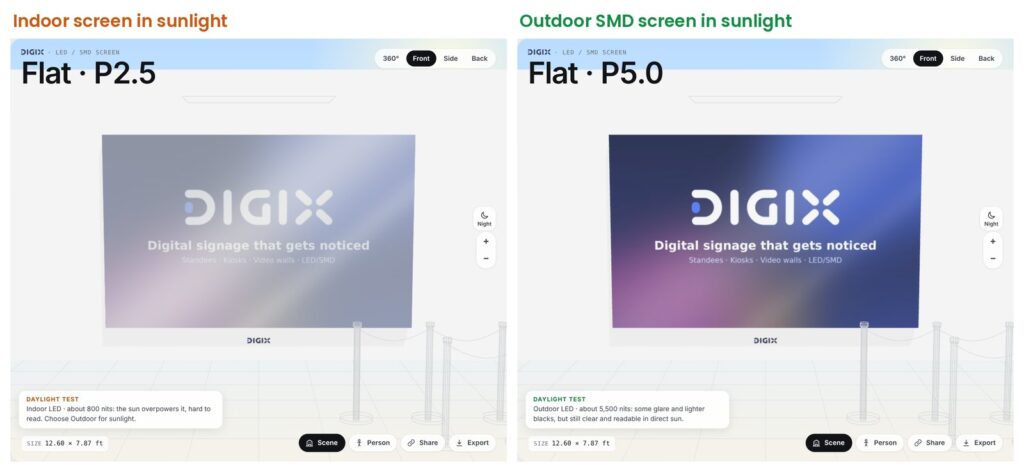
- Day and night: check how the LED screen looks in a dark hall or at night.
- Daylight test: see how an indoor screen fades in sunlight, and why an outdoor SMD screen with high brightness stays readable.
No drawings, no waiting for a mock-up. What you approve on screen is what we build.
Built for SMD and LED screens
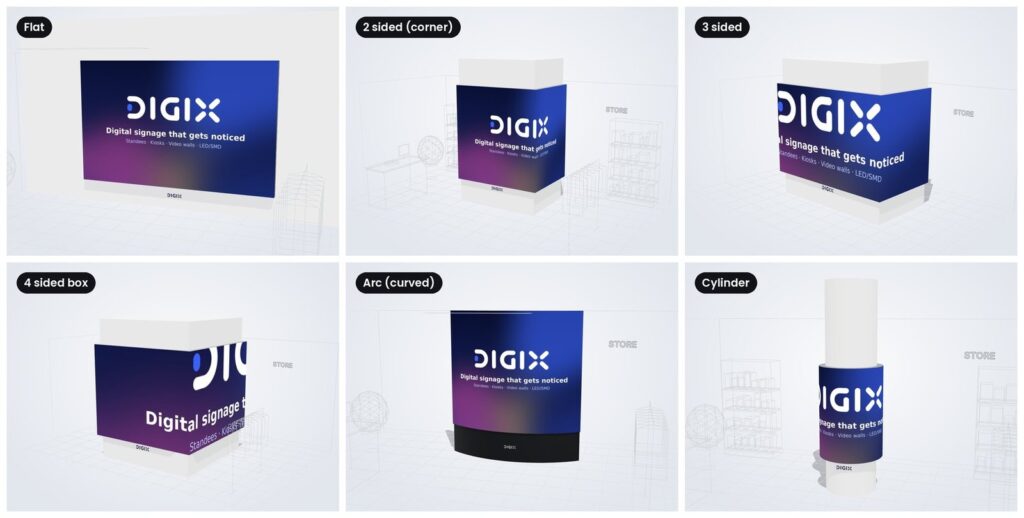
An SMD screen has more choices than most displays, and each one changes the price. The studio walks you through them in order:
- Shape: flat wall, corner (L), arc, U-shape, four-sided box or cylinder.
- Indoor or outdoor: outdoor SMD screens are much brighter and weather-sealed.
- Pixel pitch: from P1.5 for close viewing to P10 for roadside billboards.
- Build method: wall mount, free-standing, pillar, pole or ceiling hung.
- Your size: in feet or metres, with the nearest module-perfect size suggested.
You can switch the module lines on or off to see how the LED screen is built from panels, and show or hide the pillar or back wall.
Not sure which pixel pitch or brightness you need? Read our SMD screen buying guide before you start.
[digix_planner_cta]
From idea to quotation in minutes
Your quote request reaches DIGIX the moment you send it, with every detail and a link to your 3D design. There is no back-and-forth to explain what you want.
- Pick a product: standee, kiosk, video wall, menu board or SMD screen.
- Set the size: choose a screen size or enter your wall size.
- Choose the colour and finish.
- Add your logo and screen content.
- Pick options: touch, mounting, control system and more.
- Request a quote: send it from the studio, or tap WhatsApp to talk to our team.
Our team opens your exact design in 3D, so the quotation matches what you saw.
Share your design with your team
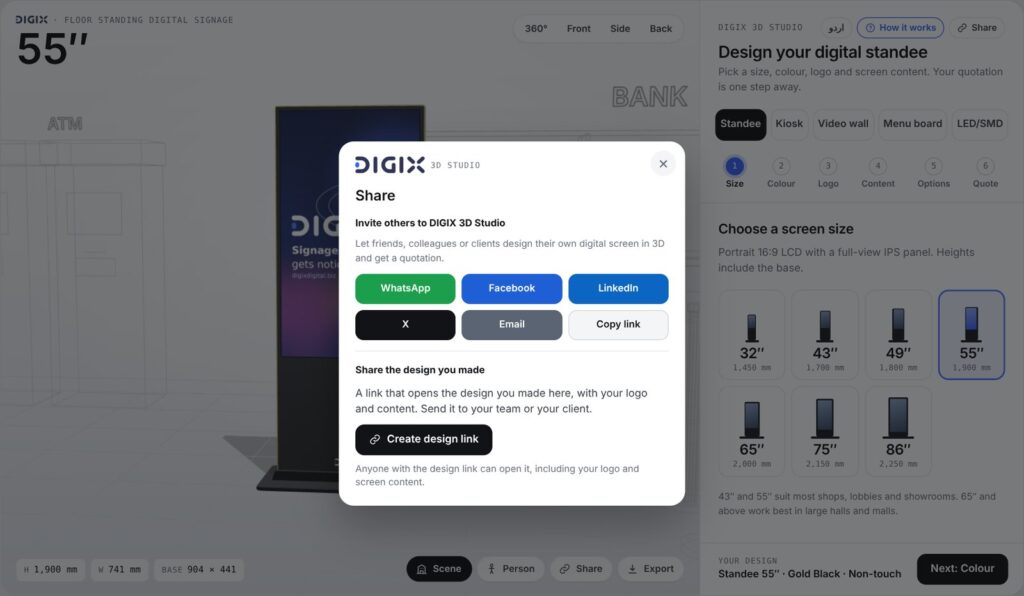
Decisions on digital screens are rarely made by one person. With one tap you can send your design by WhatsApp, email or a link. Your manager, architect or client opens the same screen in 3D, with your logo and content, and can change it further.
The studio also works in Urdu, so everyone on the team can use it comfortably.
Who is it for?
- Banks: queue and offer screens, standees in branches.
- Retail and malls: shop-front SMD screens, video walls, promotional standees.
- Restaurants and cafés: digital menu boards above the counter.
- Hospitals: touch kiosks and waiting-area screens.
- Corporate offices: lobby video walls and reception displays.
- Advertisers and events: outdoor SMD screens, pole billboards and stage LED screens.
Frequently asked questions
Is DIGIX 3D Studio free?
Yes. It is free, needs no sign-up and works on mobile and desktop.
How much does an SMD screen cost?
The price depends on size, pixel pitch, indoor or outdoor use and the build method. For a quick tentative range, try our free SMD Price Calculator. For the exact price, design yours in the studio and request a quote. Our buying guide explains what affects the quotation.
Which pixel pitch should I choose?
A smaller pitch (P1.5 to P3) suits screens viewed up close indoors. A larger pitch (P6 to P10) suits outdoor screens viewed from a distance.
Can I see my own content on the screen?
Yes. Upload your logo, images or videos and they play on the 3D screen.
Can I share the design with my team?
Yes. Send it by WhatsApp, email or link, and others can open and edit the same design.
Design your screen today
Stop guessing. Design your SMD screen, LED screen or digital signage in 3D, show it to your team, and get your quotation in minutes.