
Key takeaways
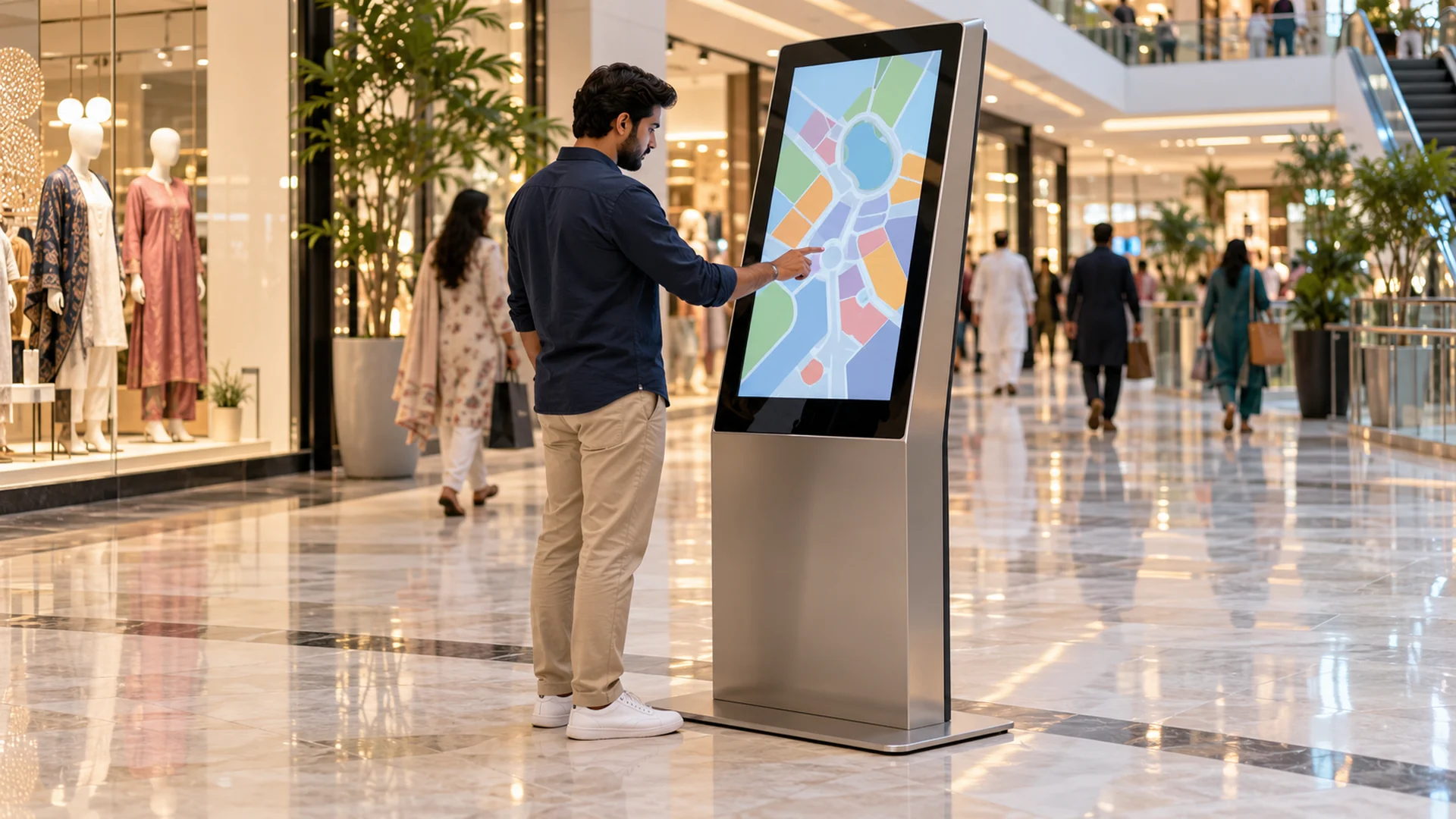
- A digital kiosk is a standalone screen, often touch-enabled, that informs, guides, promotes or lets customers serve themselves.
- Common types include touch information kiosks, wayfinding kiosks, self-ordering and self-checkout kiosks, queue management kiosks and countertop kiosks.
- Kiosks are no longer only for large brands: modular, CMS-based systems make them practical for single stores and small chains.
- Placement, fresh content and local support matter as much as the hardware.
In this guide
- What is a digital kiosk?
- How digital kiosks work
- Types of digital kiosks
- Where kiosks are used
- Kiosks for retail stores, including small businesses
- Where to place a kiosk in your store
- How kiosks save money
- Digital kiosk vs printed signage
- How to choose a kiosk provider
- The future of interactive kiosks
- Frequently asked questions
Walk into a modern mall, airport, hospital or corporate building and you will often see a slim screen ready to help: showing directions, taking orders, checking in visitors or promoting the latest offer. These are digital kiosks, and they have become one of the most useful customer-facing tools for businesses and public spaces.
This guide explains what digital kiosks are, how they work, which types suit which spaces, and how businesses in Pakistan, from single shops to national chains, can use them well.
1. What Is a Digital Kiosk?
A digital kiosk is a standalone display designed to provide information, advertising or self-service without constant staff involvement. Unlike an ordinary screen, it is purpose-built for public and commercial spaces, usually with a commercial-grade display, a sturdy enclosure, a built-in media player and, in many cases, a touchscreen.
Think of it as a reliable team member that never forgets the current promotion and is available whenever the store is open. It can help a shopper find a store in a mall, let a visitor check in at reception, or allow a customer to place an order.
2. How Digital Kiosks Work
A kiosk combines three parts:
- Display: a commercial-grade screen designed for long operating hours, with touch capability where needed.
- Media player or embedded computer: runs the content and responds to touches, scans or payments.
- Software and CMS: lets you design content, schedule it and update kiosks remotely, whether you have one unit or many across different cities.
Kiosks can play saved content without internet, but a connection is needed for remote updates, live data and online payments.
3. Types of Digital Kiosks
| Type | What it does | Best for |
|---|---|---|
| Interactive touch kiosk | Product catalogues, information and comparisons | Retail, showrooms, banks, offices |
| Wayfinding kiosk | Maps and directions to stores, departments or rooms | Malls, hospitals, large stores, campuses |
| Self-ordering kiosk | Customers browse the menu, customise and pay | Restaurants, food courts, cafés |
| Self-checkout kiosk | Customers scan and pay for items | Supermarkets and convenience stores |
| Queue management kiosk | Issues tokens and shows waiting status | Banks, hospitals, service centres |
| Digital standee / advertising kiosk | Shows promotions and campaigns, usually non-touch | Entrances and high-footfall areas |
| Countertop kiosk | Compact screen for ordering, loyalty or feedback | Small shops, cafés and service counters |
| Outdoor kiosk | High-brightness, weather-protected information or advertising | Streets, parks, transport hubs |
4. Where Digital Kiosks Are Used
Restaurants and food courts
Self-ordering kiosks reduce queues at busy times, cut order mistakes and suggest add-ons such as drinks and desserts.
Corporate offices and banks
Visitor check-in kiosks create a professional first impression at reception. Banks use kiosks for token issuing, service information and product promotion while customers wait.
Healthcare
Hospitals and clinics use kiosks for registration, appointment check-in and wayfinding, which reduces confusion and frees staff for patient care.
Transport hubs
Airports, railway stations and bus terminals use kiosks for schedules, ticketing information and directions.
Public spaces and smart cities
Kiosks can provide maps, public announcements and emergency information for residents and visitors.
Advertising
Kiosk screens can rotate several adverts, schedule them by time of day and change campaigns instantly, which printed boards cannot do.
5. Kiosks for Retail Stores, Including Small Businesses
A common belief is that kiosks are only for large retailers. That is no longer true. Hardware has become more affordable, cloud-based CMS is now standard, and modular kiosk designs can be configured for different store sizes.
A boutique, pharmacy or electronics store can start with one unit in its busiest location and add more as results show. Affordable does not have to mean low quality: a good entry-level kiosk still uses a commercial-grade display, a cloud CMS and a durable enclosure, backed by local support.
Retail uses by sector
- Fashion: digital lookbooks, outfit suggestions and new-collection campaigns updated across all branches at once.
- Supermarkets: weekly specials at the entrance, wayfinding in large stores and loyalty sign-up at checkout.
- Electronics: product comparison kiosks that show specifications side by side, reducing pressure on sales staff at peak times.
- Pharmacies: health information, seasonal product promotion and queue management for collections.
6. Where to Place a Kiosk in Your Store
Start with one question: where do customers slow down, pause or wait? Those are the moments they are most open to engagement.
- Entrance and shop window: attract passers-by with new arrivals and seasonal offers.
- Near popular product zones: suggest related products, bundles and product demonstration videos.
- Checkout and billing area: loyalty information and last-minute offers while customers wait.
- Fitting rooms: show matching items and let customers request another size.
- Customer service desk: handle common questions, warranty registration and returns information.
7. How Kiosks Save Money
- Less printing: banners, posters and shelf cards are designed, printed, transported and thrown away every campaign. Digital content costs little to change.
- Less pressure on staff: a kiosk can answer common questions such as “where is the children’s section?” or “what is the return policy?”.
- Fewer pricing mistakes: prices managed from one CMS stay consistent across screens and branches.
- Automatic upselling: suggestions for related items appear every time, without relying on staff to remember.
- Useful data: see which content gets the most interaction and when, and use it to improve promotions.
8. Digital Kiosk vs Printed Signage
| Factor | Digital kiosk | Printed signage |
|---|---|---|
| Content updates | Instant, remote through a CMS | Days to design, print and install |
| Running cost | Low after installation | New print cost every campaign |
| Engagement | Interactive, video and animation | Static and easily ignored |
| Multiple branches | Update all stores at once | Separate printing and delivery for each store |
| Insights | Interaction data available | No data |
| Initial cost | Higher upfront investment | Low per item, high over time |
9. How to Choose a Kiosk Provider
- Real retail and commercial installations: ask to see projects similar to yours.
- A CMS you can use yourself: you should be able to update content without calling a technician.
- After-sales support near you: downtime in a busy store means missed customers.
- Customisation: enclosure design, screen size, branding and software theme should match your store.
- Integration: check that the kiosk can connect to your POS, inventory or loyalty system if you need live stock or rewards.
- Clear warranty: get warranty and service terms in writing.
10. The Future of Interactive Kiosks
Kiosks are moving from standalone screens to connected customer experiences:
- Smarter suggestions: AI-assisted recommendations based on what the customer is viewing or ordering.
- Mobile and QR integration: customers scan a code to continue on their phone, see loyalty points or receive a receipt.
- Contactless options: QR ordering and, increasingly, voice interaction alongside touch.
- Connected systems: kiosks linked to POS, stock and CRM, so information is always current.
- Interactive product experiences: 3D configurators that let customers customise products on screen. See the DIGIX 3D Configurator.
Why DIGIX for Kiosk Solutions in Pakistan
DIGIX has worked in digital signage since 2015 and is part of the Adsells group, established in 1952. Our range includes interactive touch kiosks, self-ordering kiosks, mobile kiosks, digital standees, video walls and a cloud CMS that manages them together.
Brands DIGIX has worked with include Shell, Nestlé, HBL, Standard Chartered, Toyota, Samsung, Unilever, Jazz, Telenor, KIA and Pizza Hut. With teams in Lahore, Karachi, Islamabad, Gujranwala, Faisalabad, Multan and Rahim Yar Khan, support is close to your location.
Frequently Asked Questions
What makes a digital kiosk different from a normal display?
A kiosk is built for public use, with a commercial-grade screen, a sturdy enclosure, a media player and usually touch interaction and remote content management.
Can digital kiosks work without internet?
Yes, they can play saved content offline. Internet is needed for remote updates, live data and online payments.
Are digital kiosks affordable for small businesses?
Yes. Many stores start with one kiosk in their busiest area and expand later. The cost depends on screen size, touch features, enclosure and software.
Where should I place a kiosk in my store?
Where customers naturally slow down or wait: the entrance, popular product areas, the checkout and the service desk.
How long does a digital kiosk last?
Commercial-grade kiosks are designed for years of daily use with proper ventilation, cleaning and software maintenance.
Can kiosks connect to my POS or stock system?
Often, yes, depending on your software. Confirm integration requirements with your provider before ordering.